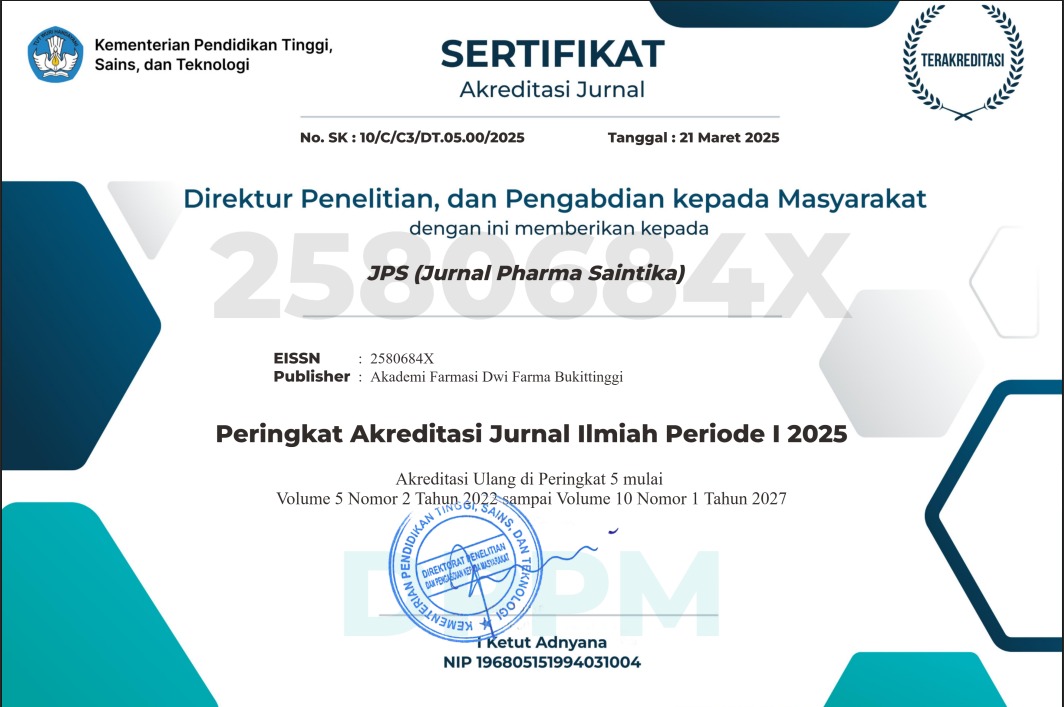
Editorial Team
Editor in Chief / Chairman of Editorial Board
Apt. Mhd Riza Marjoni, S.Si, M.Farm, M.Si, M.Pd; Sekolah Tinggi Sains Dwi Farma Bukittinggi
Vice Editor in Chief / Vice Chairman of Editorial Board
Renatalia Fika, M.Si., M.Pd.; Sekolah Tinggi Sains Dwi Farma Bukittinggi
Editorial Board / Members of Editorial Board
- Prof. Dr. Oeke Yunita, S.Si, M.Si ; Universitas Surabaya, Surabaya, Jawa Timur, Indonesia
- Dr. Sri Haryanti, M.Si. ; Sekolah Tinggi Ilmu Farmasi Yayasan Pharmasi, Semarang, Jawa Tengah, Indonesia
- Dr. Fef Rukminingsih, M.Sc ; Politeknik Katolik Mangunwijaya, Semarang, Jawa Tengah, Indonesia
- Apt. Budi Setiawan, M.Farm. ; Sekolah Tinggi Sains Dwi Farma Bukittinggi, Bukittinggi, Sumatera Barat, Indonesia
- Zulfisa, S.Si, M.Farm. ; Sekolah Tinggi Sains Dwi Farma Bukittinggi, Bukittinggi, Sumatera Barat, Indonesia
- Dewi Nofita, S.Si. M.Si. ; Sekolah Tinggi Sains Dwi Farma Bukittinggi, Bukittinggi, Sumatera Barat, Indonesia
- Mevy Trisna, S.Si, M.Farm. ; Sekolah Tinggi Sains Dwi Farma Bukittinggi, Bukittinggi, Sumatera Barat, Indonesia
- Monica Kristiani, M.Sc ; Politeknik Katolik Mangunwijaya, Semarang, Jawa Tengah, Indonesia
How to Claim Journal Manager Role in Sister
Here are the steps to claim the Journal Manager role in Sister:
Make sure the activity category matches PO BKD 2021.
Some activities may not appear on the Activity Recap page if their category is no longer valid under PO BKD 2021. If necessary, adjust the activity and make sure the activity you want to claim has a category recognized under PO BKD 2021.
- Go to https://sister.kemdiktisaintek.go.id.
- Log in with your Username/Email and Password.
- Select Pelaks. Pengabdian and choose Pengelola Jurnal.
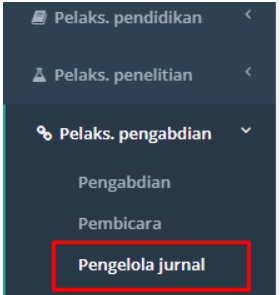
Pelaks. Pengabdian → Pengelola Jurnal menu. - Click the Tambah (Add) button.
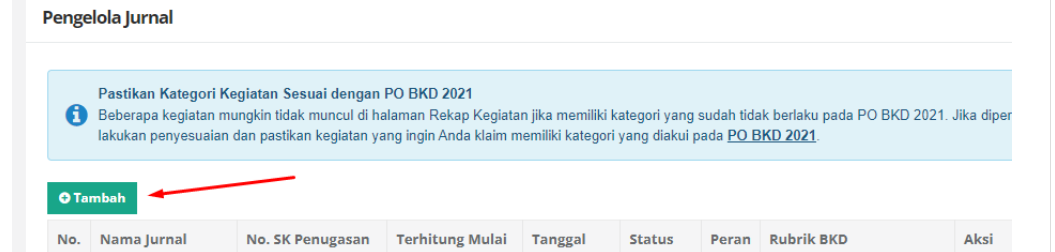
Tambah button on the Pengelola Jurnal page. - Select Sebagai editor jurnal ilmiah nasional under Berperan serta aktif dalam pengelolaan jurnal ilmiah.

Add Journal Manager form and activity category options. - In Media Publikasi, type Jurnal Pharma Saintika (JPS).
- Fill Peran with Editor or Reviewer (according to the decree).
- Fill in Nomor SK Penugasan, Terhitung tanggal, and tanggal selesai (see the decree).
- Upload the supporting document (SK) and its URL. The decree can be downloaded from the Journal Management Decree page.
- Finally, click Simpan (Save) so it can be pulled into the LKD/BKD reporting process.